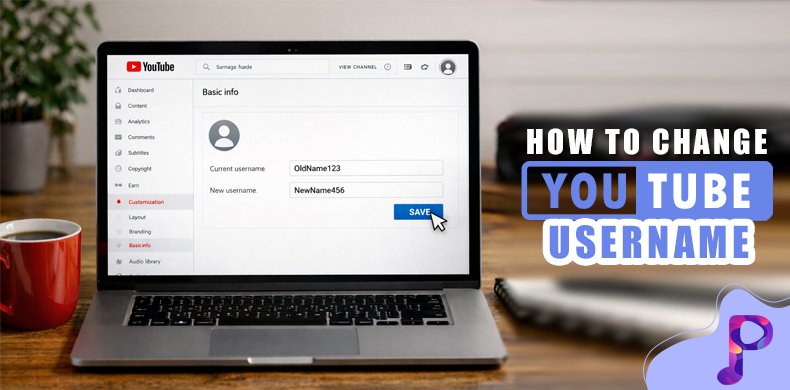
Your YouTube username quietly shapes how people recognize and remember your channel. If your current name no longer matches your content or future goals, learning how to change YouTube username can help you realign your brand without affecting growth or visibility.
Many creators worry that changing their username might confuse viewers or harm performance. In reality, when done correctly and communicated clearly, a username change can strengthen your channel identity and support long-term YouTube success.
This guide walks you through the entire process—from understanding what a YouTube username means to step-by-step changes, branding impact, and growth-focused best practices.
What a YouTube Username Means in the Current YouTube System
A YouTube username is part of a broader identity system that includes channel names and handles, each serving a specific purpose.

Difference Between Username, Channel Name, and Handle
The channel name is the most visible element and appears on your videos, comments, and channel homepage. This is what most viewers associate with your brand and content.
The handle, starting with “@”, is unique and functions like a social media ID. It helps people mention your channel, search for you quickly, and identify your content on Shorts and mobile feeds.
The traditional username is linked to your Google account and works more in the background, but it still supports how your channel is structured and identified internally.
Why Understanding This Difference Is Important
Many creators assume that changing one element updates everything automatically. Knowing how these identities work separately helps you maintain consistency and avoid branding gaps.
Why Creators Decide to Change Their YouTube Username
Most username changes happen as part of natural channel growth, content evolution, or professional rebranding.
1. Content Direction Has Evolved
As creators grow, their content often expands beyond the original niche. A username that once fit perfectly may start feeling restrictive or misleading.
Knowing how to change YouTube username allows the channel to grow freely without confusing new viewers about what the content actually offers.
2. Professional Image Becomes a Priority
When creators begin collaborating with brands or monetizing seriously, a polished username adds credibility. It signals long-term intent rather than casual experimentation.
A professional name also looks more trustworthy to first-time viewers discovering your channel.
3. Need for Cross-Platform Consistency
Using the same or similar username across platforms makes your brand easier to find and remember. This consistency strengthens audience trust and recall.
Viewers are more likely to follow you elsewhere when your identity feels unified.
4. Correcting Early Naming Choices
Many early usernames include numbers, unnecessary words, or unclear meaning. Over time, these choices can weaken brand perception.
Updating the name helps clean up your channel’s identity and present a clearer message.
Things You Must Know Before Changing Your YouTube Username
Understanding YouTube’s rules and limitations helps you avoid unnecessary issues or repeated changes.
1. YouTube Limits How Often You Can Change Names
YouTube restricts frequent name changes within a short period. This encourages creators to make thoughtful decisions instead of constant experimentation.
Planning ahead helps you avoid being locked into a name temporarily.
2. Subscribers and Videos Remain Untouched
Changing your username does not affect subscribers, watch hours, videos, or monetization eligibility. Your channel history remains fully intact.
This makes the change safe from a performance standpoint.
3. Some Branding Elements Need Manual Updates
Custom URLs, external links, and social media references may not update automatically. These need to be adjusted manually for consistency.
Ignoring this step can create confusion for returning viewers.
4. Audience Awareness Still Matters
While YouTube handles the technical side smoothly, viewers may need reassurance. Clear communication prevents confusion and maintains trust.
How Username Changes Affect YouTube SEO and Discoverability
A username change does not harm YouTube SEO when done strategically and supported by consistent content.
1. Algorithm Priorities Do Not Change
YouTube’s algorithm focuses on watch time, engagement, and viewer satisfaction—not just channel names.
This means your rankings remain stable if your content quality stays consistent.
2. Branding Influences Click-Through Rate
A clear and relevant username helps viewers instantly understand your content. This increases the chances of clicks in search and recommendations.
Strong branding often improves first impressions.
3. Brand Searches Grow Over Time
As channels grow, viewers begin searching directly for the channel name. A simple and memorable username supports this behavior.
This strengthens long-term discoverability.
4. Relevance Builds Viewer Trust
If your new username aligns better with your niche, viewers are more likely to trust your channel before watching a video.
Trust directly influences engagement and retention.
How To Change YouTube Username on Desktop
Desktop provides the most control and clarity for updating your YouTube username.
1. Accessing Your Channel Settings
Log in to YouTube using a desktop browser. Click your profile icon and select “Your Channel” to open your channel page.
This ensures you are working from the correct account.
2. Opening the Customization Panel
Click “Customize Channel” to enter YouTube Studio’s branding and information settings.
This area controls how your channel appears publicly.
3. Editing the Channel Name
Under the “Basic Info” section, click the edit icon next to your channel name. Enter your new username carefully, focusing on clarity and spelling.
Reviewing before saving avoids mistakes.
4. Publishing the Update
Click “Publish” to apply the changes. The update may take a short time to reflect across YouTube.
Once processed, the new name becomes visible everywhere.
How To Change YouTube Username on Mobile Devices
Mobile editing allows quick updates but works best for simple changes.
1. Navigating Through the YouTube App
Open the YouTube app, tap your profile picture, and go to “Your Channel.”
This gives access to basic channel settings.
2. Editing Channel Information
Tap “Edit Channel” and update the channel name field. Save your changes once complete.
The update applies automatically.
3. Checking Consistency Afterward
After updating on mobile, reviewing your channel on desktop ensures everything appears correctly.
This helps catch formatting or display issues early.
Understanding the Relationship Between Username and Handle
Usernames and handles work together but are managed separately.
1. Handles May Not Update Automatically
Changing your channel name does not always change your handle. Handles may require a separate update.
Consistency between the two strengthens branding.
2. Why Handles Are More Visible Now
Handles appear on Shorts, comments, and mentions. They play a bigger role in how people discover and tag channels.
A mismatched handle can weaken recognition.
3. Aligning All Identity Elements
Matching your channel name, handle, and visuals creates a cohesive brand. This improves professionalism and trust.
Strong alignment supports long-term growth.
Rebranding Smoothly After Changing Your Username
Rebranding works best when viewers are informed and guided through the change.
1. Communicating the Change Clearly
Community posts, short videos, or pinned comments help explain the reason behind the update.
Transparency keeps your audience comfortable.
2. Updating Visual Branding
Banners, profile pictures, and thumbnails should reflect the new name. Visual consistency speeds up audience adaptation.
This reinforces the new identity.
3. Reinforcing the New Name Over Time
Mentioning the new name in early videos helps it stick in viewers’ minds.
Repetition builds familiarity.
Choosing a Username That Supports Long-Term Growth
A strong username should grow with your channel, not limit it.
1. Prioritizing Flexibility
Avoid names that restrict future content. A flexible username allows creative expansion.
This protects you from frequent rebranding.
2. Keeping It Simple and Memorable
Short, clear names are easier to remember, search, and share.
Simplicity improves recognition.
3. Checking Platform Availability
Using the same name across platforms strengthens your digital presence.
Consistency builds trust faster.
Does Changing Your Username Affect Monetization?
Monetization remains fully safe after a username change.
1. Earnings and Eligibility Stay the Same
Your YouTube Partner Program status and earnings are unaffected.
Revenue tracking continues normally.
2. Communicating With Brand Partners
Informing sponsors about the change avoids confusion in promotions or contracts.
Clear communication maintains professionalism.
How Often Should You Change Your YouTube Username?
Fewer changes lead to stronger branding.
1. Early Channels Can Experiment More
New creators have flexibility as branding is still forming.
Experimentation helps clarity.
2. Established Channels Should Be Strategic
Larger channels benefit from stability. One thoughtful change is better than many small ones.
Consistency builds brand equity.
3. Thinking Long-Term Matters Most
A future-proof name reduces the need for repeated updates.
Long-term thinking supports sustainable growth.
Conclusion
Changing your YouTube username is more than a technical update—it is a branding decision. When done thoughtfully, learning how to change YouTube username can strengthen recognition, trust, and alignment with your content goals.
With proper planning and clear communication, a username change becomes a positive step forward rather than a disruption.